Tasks That Take Hours Now Take Minutes
Founding Member pricing: $1/month for your first 6 months. Then $59/month.
Upload Your Files. Done Before Your Coffee.
Upload
AVBAAFALEEDLCamera ReportsSound Reports
→
Process
Retime & Organize DailiesParse sequence metadataApply marker rulesDetect cut changesMatch to Dailies Clips
→
Generate
ADR TrackersOpticals ListsScene binsVFX trackersVFX TurnoversContinuity ReportsVFX OmissionsGoogle Sheets syncCheck Paperwork
Deterministic Avid workflow automation · files in, files out · no generative AI
Organize dailies in seconds
Stop spending your morning dragging clips into bins. Upload your AVB or AAF and Developing Tank automatically builds scene bins, subclips, and multicam groups — ready before your editor sits down.
Auto-detect VFX shots from your Avid files
Stop rebuilding the tracker every recut. Developing Tank reads your sequence's markers and subcaps to identify every VFX shot — and flags new shots each time you upload a new cut.
Complete turnovers in minutes
Stop hand-assembling pull packages at the end of the day. Generate a full VFX turnover package — EDL, AVB, CSV, and PDF — directly from your current sequence with handles, frame counts, and speed ramps calculated automatically.
One-click EDL and AVB exports
Stop doing last-minute cleanup just to share a cut. Export clean, vendor-ready EDLs and AVBs from any logged sequence with a single click — formatted to spec and ready to hand off.
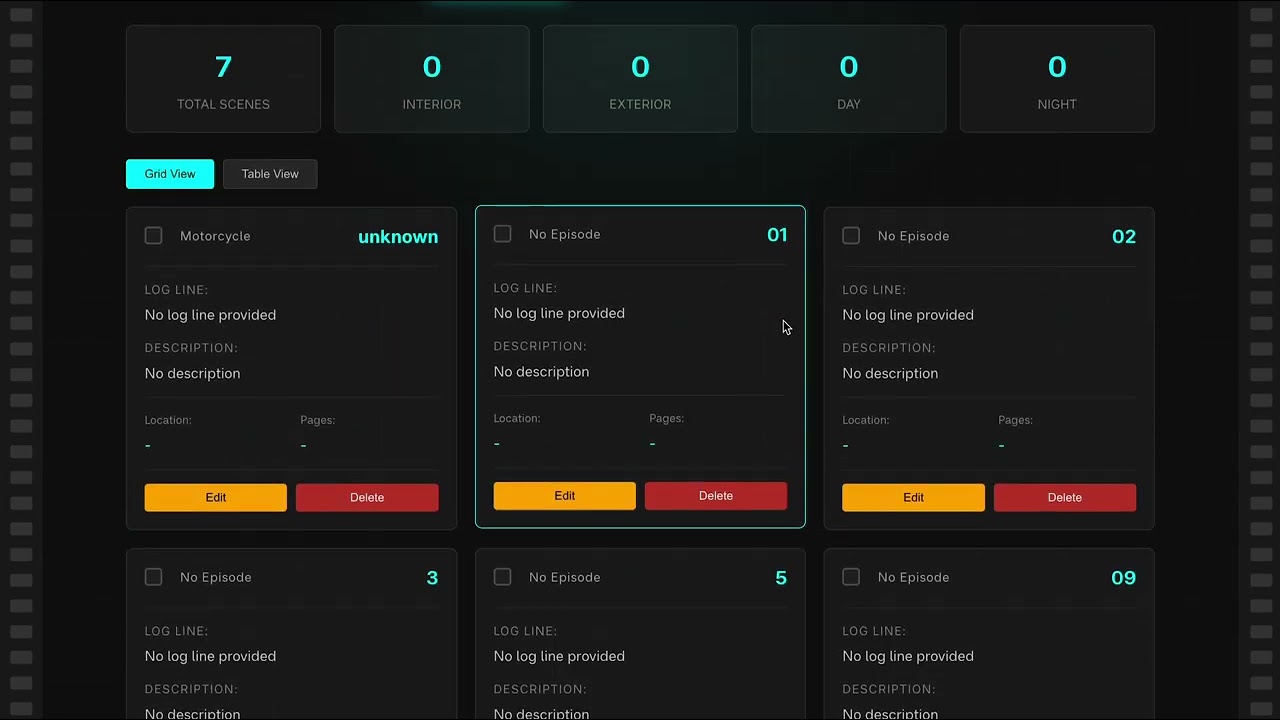
Automatically fill out continuities
Stop retyping continuity every time the cut changes. Developing Tank generates continuity reports from your sequence data so scene-by-scene records stay current without manual re-entry.
Shareable with your teams
Stop emailing spreadsheets back and forth. Invite collaborators to your project and control what each person can see and edit — everyone works from the same live data.
Centralized tracking for ADR & markers
Stop letting marker lists drift out of sync with the cut. ADR cues, sequence markers, and scene flags live in one place and stay current with every upload.
Sync with Google Sheets
Stop copy-pasting into tracker sheets. Push your VFX tracker, continuity reports, and scene data directly to Google Sheets — your spreadsheets stay intact, the data stays current.
Digital filing cabinet for paperwork
Stop hunting through email threads for the latest paperwork. Store and organize call sheets, reports, contracts, and reference documents alongside your project data.
Developing Tank reads your Avid sequence and does the work that currently falls on the AE: building bins, tracking shots, maintaining reports, generating turnover packages. Your team reviews the output. It doesn't replace editorial judgment — it removes the manual work that isn't judgment.
Assistant Editors
Hours of dailies prep. Done in 10 minutes.
Upload your AVB or AAF. Scene bins, offspeed retimes, multicam groups, and subclips are built automatically — before your editor arrives.
- Scene bins, subclips, and multicam groups from dailies metadata
- Offspeed retimes pre-configured with correct frame math
- Continuity reports, cue sheets, and omission lists from sequence versions
Typical results vary by show, metadata quality, and workflow complexity.
VFX Editors
Stop maintaining a second edit.
Upload each new sequence. Developing Tank detects what changed, remembers deleted markers, and generates turnover packages — no manual re-entry between cuts.
- Detect new, changed, and deleted VFX shots across every cut
- Track speed ramps and frame counts per shot — output goes directly to vendors
- Turnover runs with EDL, AVB, CSV, PDF, and per-shot handle overrides
Producers
Current data without chasing the AE.
VFX status, continuity, and scene data sync automatically to Google Sheets as the cut changes. No spreadsheet maintenance required on your end.
- VFX tracker stays current from the sequence — not from manual re-entry
- Sync reports directly to your existing Google Sheets tabs
- Budget and vendor bid tracking visible alongside shot status